Cleanup
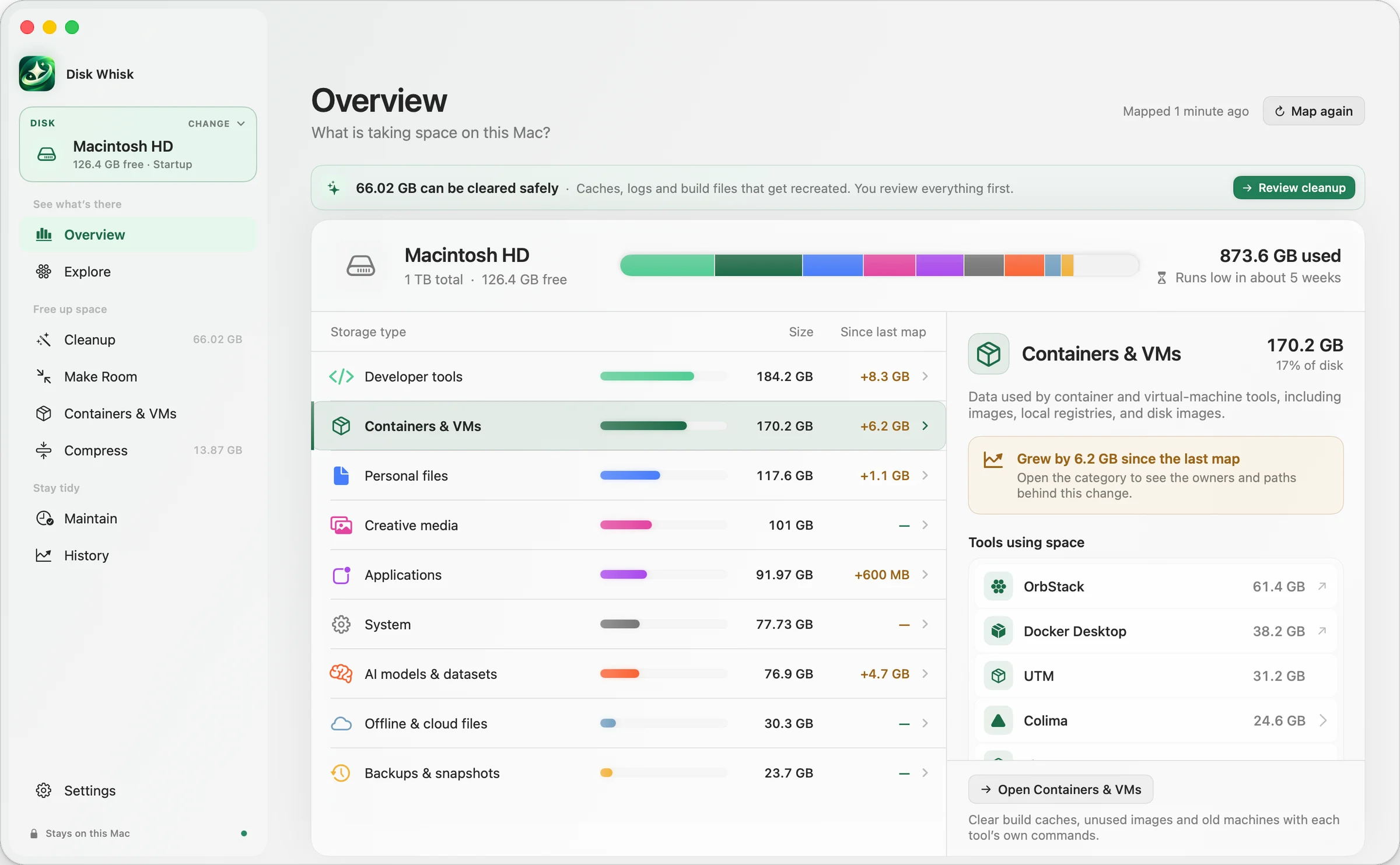
66 GB
can be cleared safely
Disk Whisk for Mac Public beta
See what’s filling your Mac, down to containers, VMs and build folders. Clear only what you choose.
Free to scan · macOS 14 or later
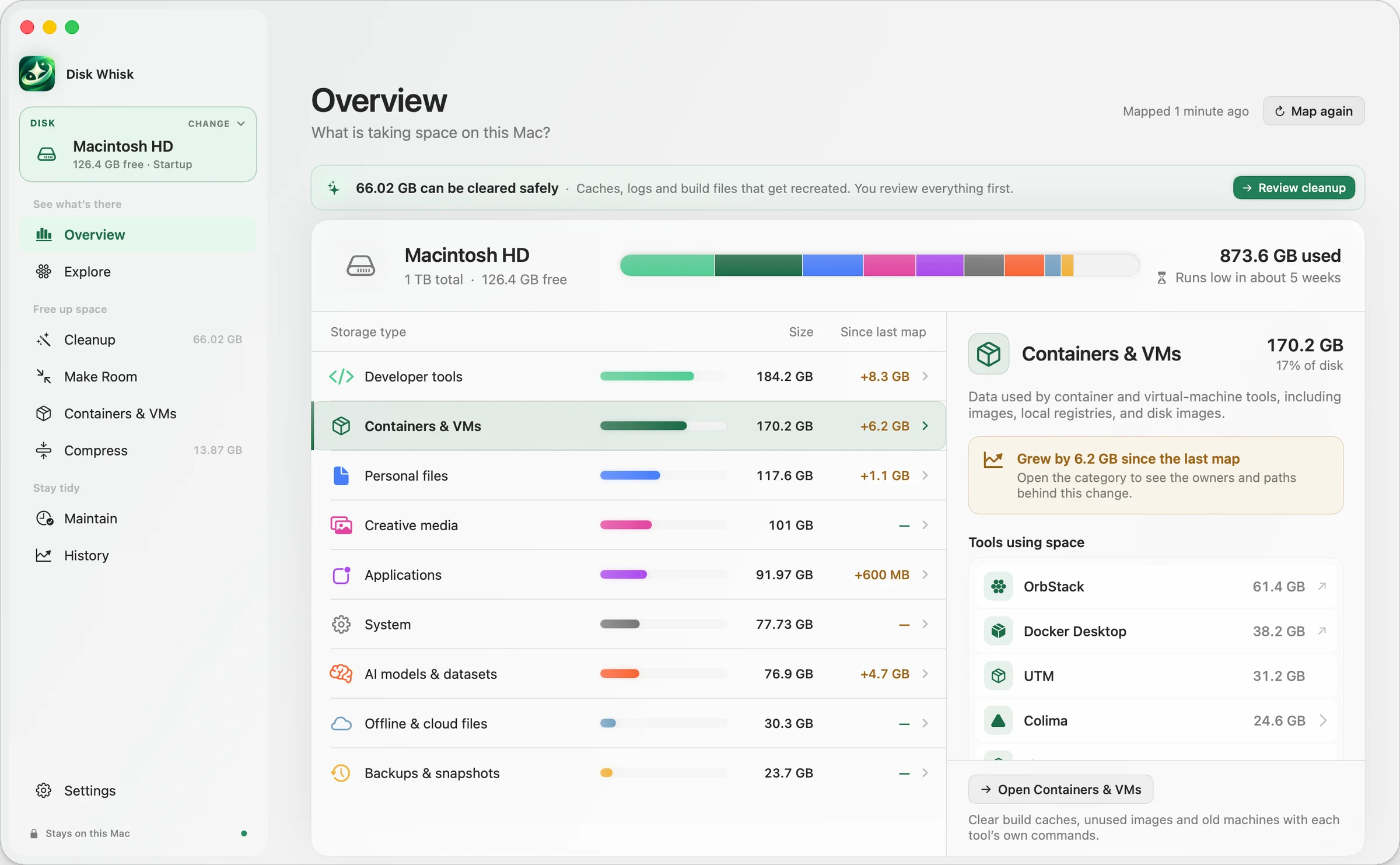
Disk Whisk on macOS, showing example data.
Scans only read. Each item is checked again right before it changes. Cleanups go to the Trash first, and the few permanent steps say so and ask.
Safe to removeRebuilds on its own.
Review firstYour call.
ProtectedNever offered.
Know what will move, why, and how to put it back.
1Scan
The scan only reads. Findings arrive sorted into five clear groups.
2Explain
Why it’s there, what happens if it goes, and one plain label.
3Recheck
Anything that changed since you approved it is skipped.
4Undo
Cleanups go to the Trash with a receipt. Restore is free, forever.
Try it · example data
Pick a few, review the plan, move them, then undo. Nothing on your Mac is touched.
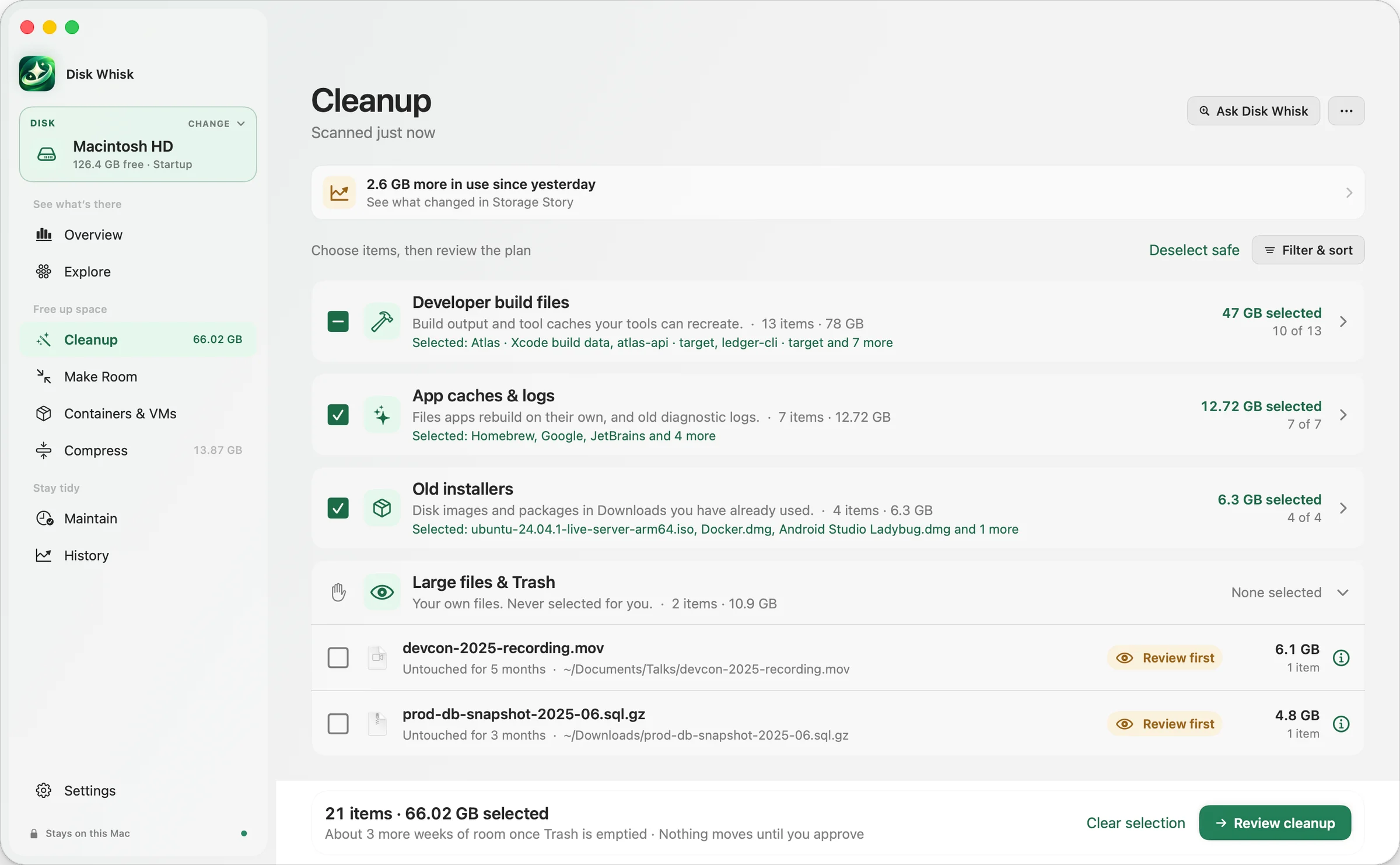
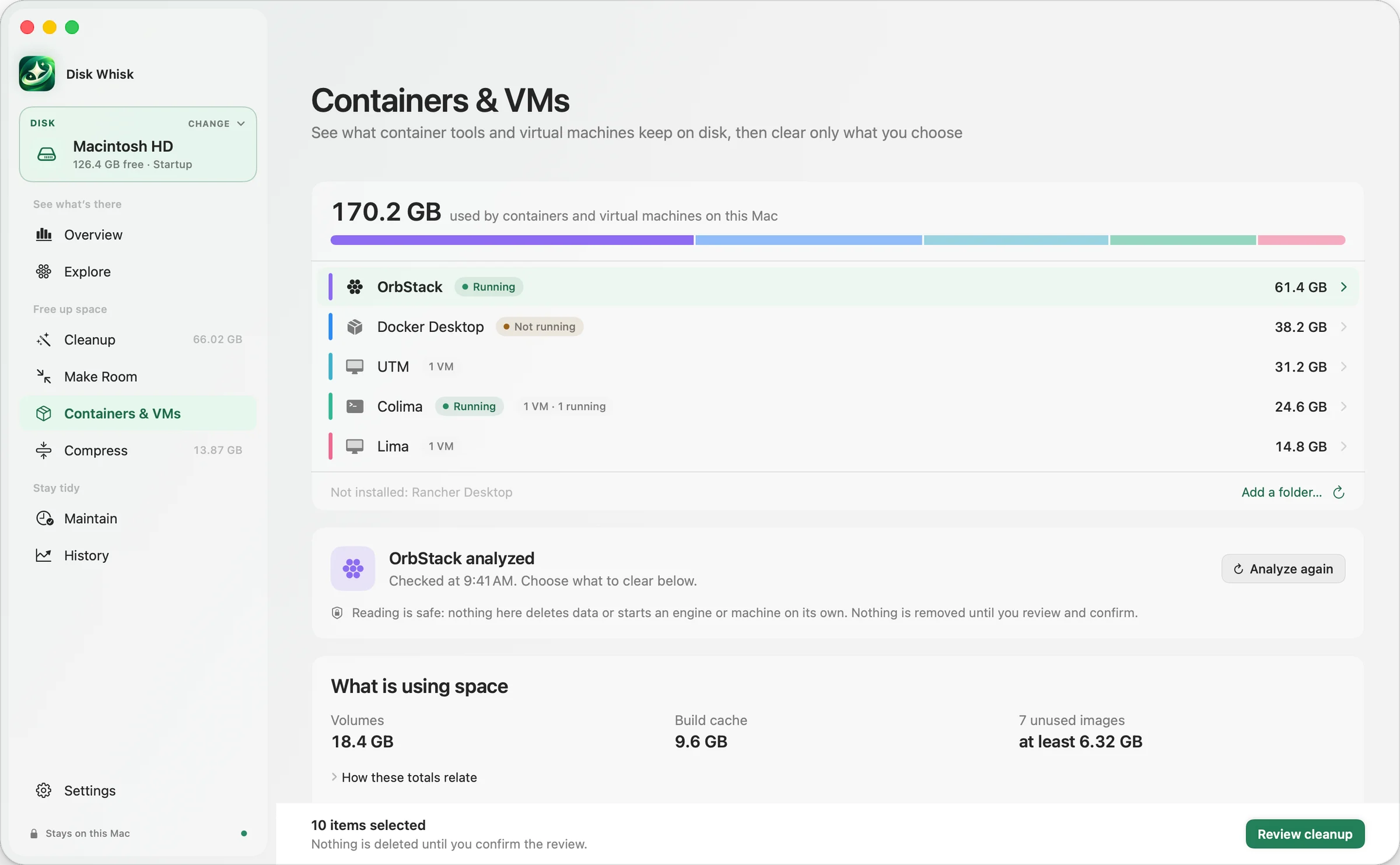
Containers, VMs, build folders and AI models. Disk Whisk looks inside each one.
366 GB
held by developer tools on one developer’s 1 TB MacBook.
Measured, allocated size on disk. Your Mac will have its own numbers.
Cleared through each engine’s own rules, never by deleting its disk image. Removal is permanent, so you review it first.
Never selected for you.
~/.cache/huggingfaceReview first~/.tartReview firstin the last 2 weeksReview firstSee what your own Mac is holding.
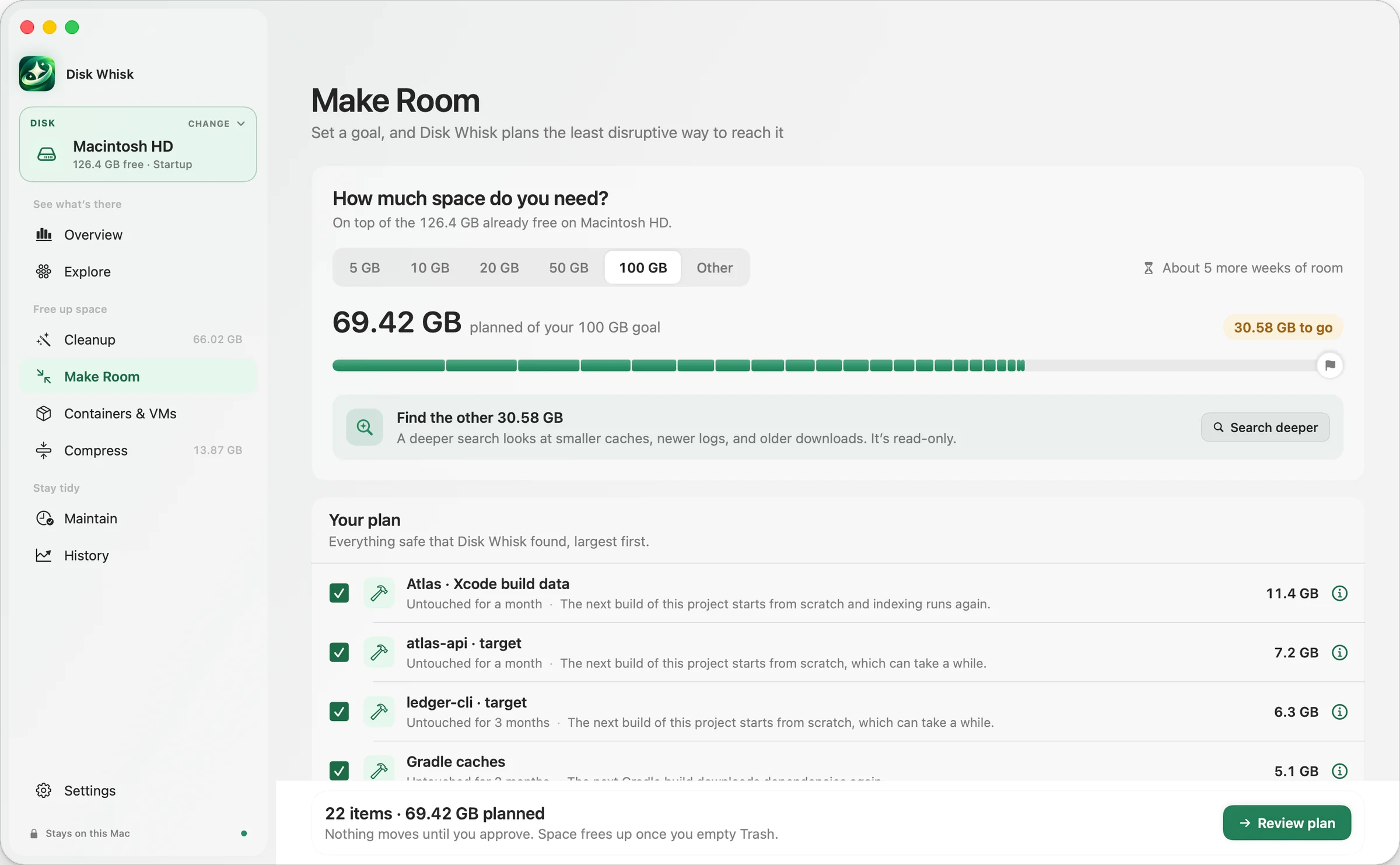
Disk Whisk picks the least disruptive way there, and shows how much time it buys.
1 item covers it · 45.2 GB in the plan
Looking is always free.
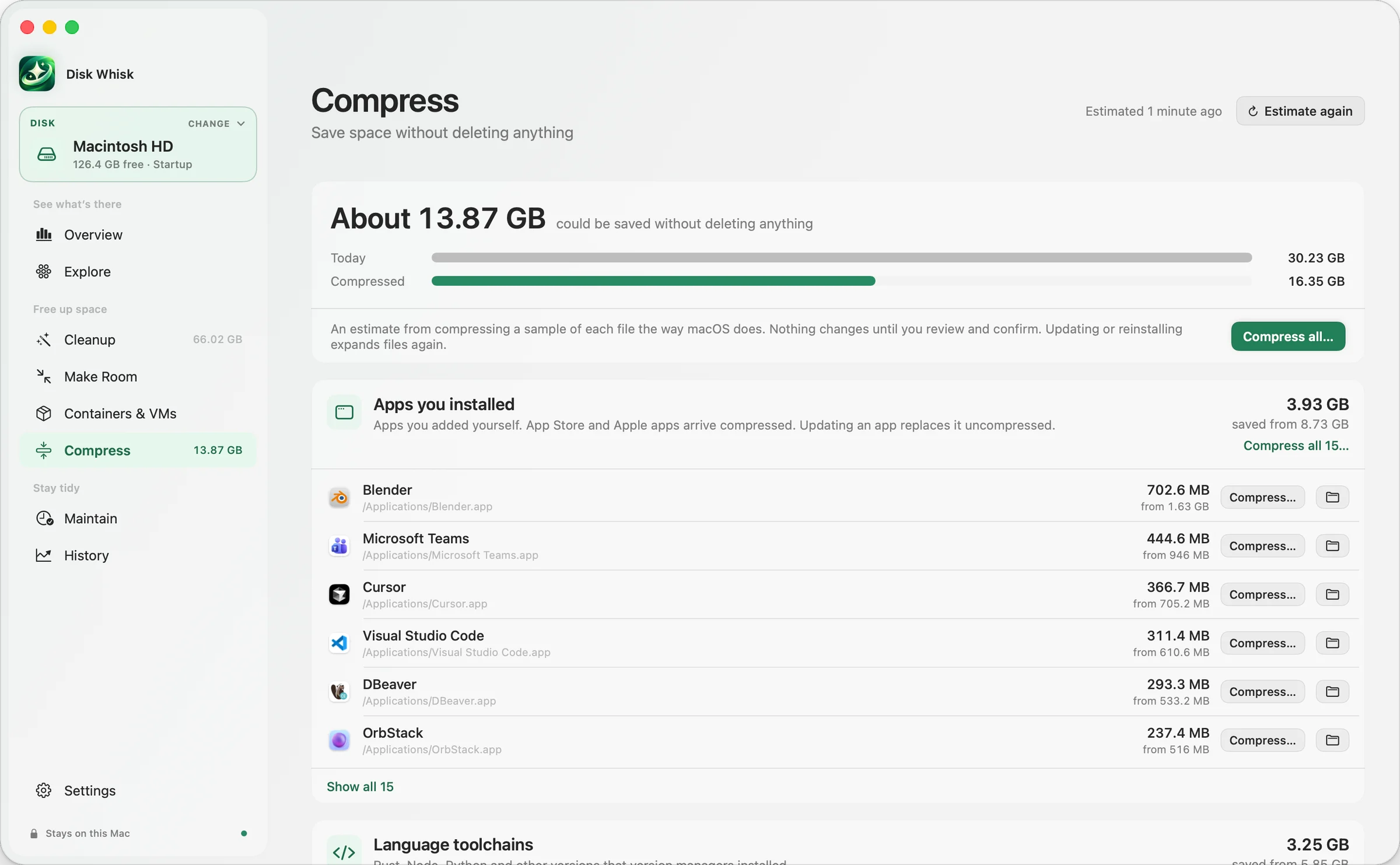
Apps, Homebrew, toolchains, editor extensions and the dependencies of idle projects, stored with macOS’s built-in compression. Same files, less space. Compressing is Pro; Uncompress is always free.
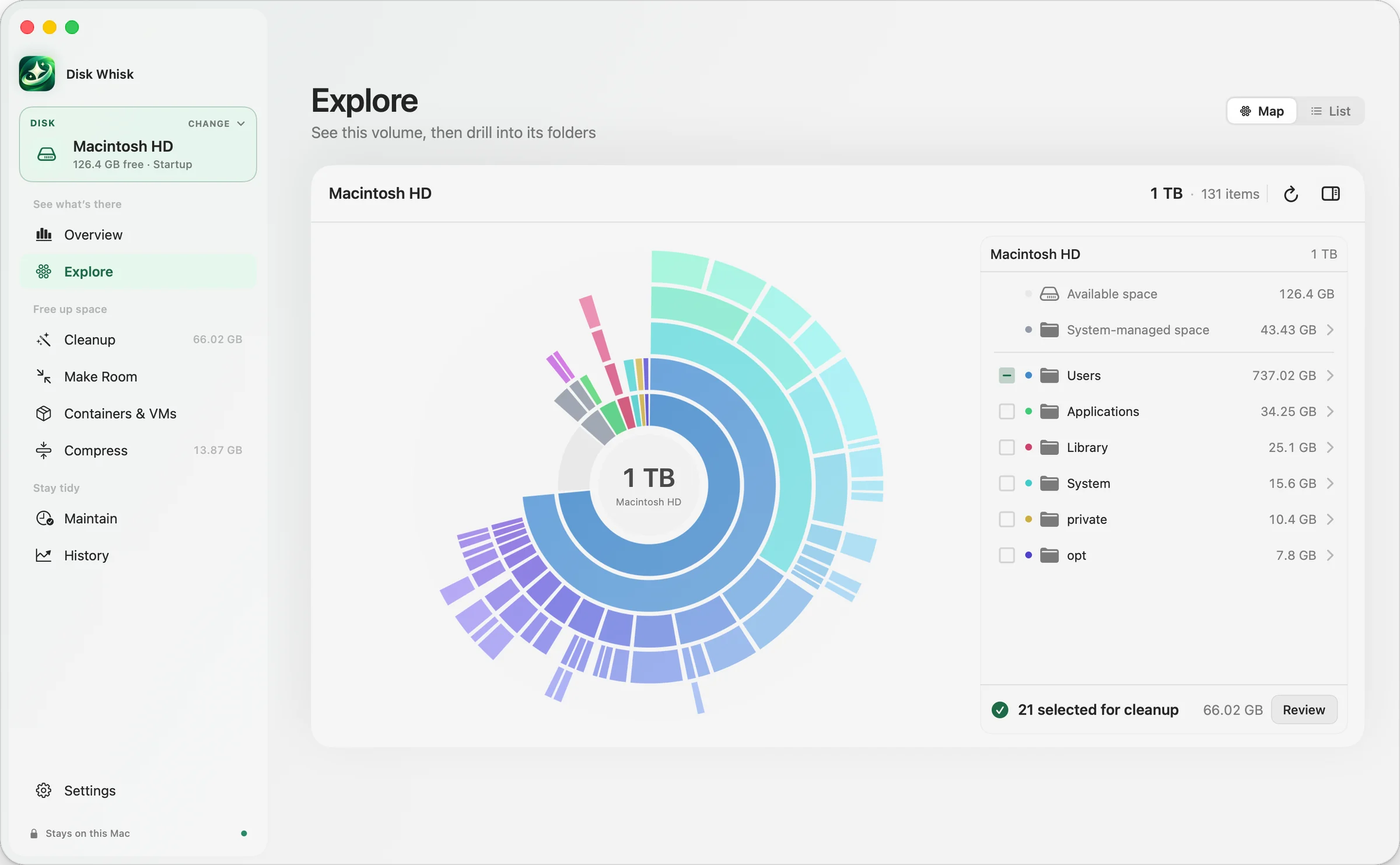
A map you can walk into, and your biggest files.
See inside OrbStack, Docker, Colima and Lima.
What grew since last week, in plain words.
Keeps safe caches in check, with a day’s notice.
Every cleanup leaves a receipt. Put back anything still in the Trash.
Optional. Plain answers about your scan, from local rules or with your own DeepSeek API key. It can never delete.
No account needed. Ask Disk Whisk is optional: with your own DeepSeek key, a question sends a short summary, never your files.
~/45.2 GB~/2.1 GB~/1.4 GB~/0.8 GBTry Pro free for 7 days. No account or card needed.
$0
Scan, explore and plan. No time limit.
Download freeLaunch price · first 500 licenses
$20
Pay once · 2 Macs · all future upgrades
It goes to $40 after the first 500 licenses.
Buy ProPrefer a subscription?
$20/year
or $3 a month · 2 Macs
SubscribePublic betaPrices in USD. Subscriptions renew until cancelled. 30-day refunds on one-time and annual plans. License, transfers and refunds
Something else? Email hello@diskwhisk.com or visit Support.
Not unless you turn it on. Scans only read, and a cleanup runs only a plan you approved, moving items to the Trash so you can put them back until you empty it. Maintain can clear safe caches and logs with a day’s notice and, only if you separately authorize it, remove those exact items for good after 7 days in the Trash. Both are off by default.
Only when you choose it and confirm. Removing container images and stopped virtual machines happens through each tool and bypasses the Trash; Empty Trash deletes everything in it; and Maintain’s optional final removal deletes items it moved after 7 days. Each says it can’t be undone before it runs. Compress rewrites files in place without changing their contents, and Uncompress, which is free, reverses it. Everything else goes to the Trash first.
Container storage is cleared through each engine’s own rules, never by deleting its disk image. Build folders are offered only when their tool marks them as rebuildable. Hugging Face models, Tart images and anything changed in the last two weeks always wait for your review.
No, it’s optional. Without it, Disk Whisk still scans your home folder, and macOS may ask before it looks in Desktop, Documents, Downloads or the Trash; if you say no, the rest of the scan still works. With Full Disk Access, it can also size Mail, Messages and other app data. Either way, scans only read. You can change it any time in System Settings → Privacy & Security → Full Disk Access.
Scanning, review, cleanup and History all happen on your Mac. No account is needed, and there’s no telemetry: no analytics, crash reporting or ads SDK. The app contacts our server only for licensing and, from version 0.9.5, a daily update check you can turn off. Ask Disk Whisk is optional: it answers locally, or with your own DeepSeek API key, in which case it sends your question and, for each item, a random ID, its category, a broad storage domain such as “developer cache” or “installer”, its size, last-changed date and safety level, a generic reason and impact, how it can be recovered, and a count of related items, plus your disk’s total size and free space. Never file names, paths or contents, so keep names out of your question too.
Scans, the storage map, every explanation, Make Room plans, container insights, Compress estimates, Uncompress, Ask Disk Whisk, History and restore are free forever. Pro runs the cleanups, including Make Room and container cleanup, compresses what you choose, and adds Storage Story and Maintain automation. Every download includes a 7-day Pro trial you start when you’re ready, with no account or card. When it ends, Disk Whisk returns to Free and everything free keeps working. Pro checks in online at least once every 30 days; scans, History and restore always work offline.
Moving files to the Trash doesn’t free space until the Trash is emptied. Disk Whisk shows what moved and what you actually gained as separate numbers. Once you empty the Trash, the space is yours and those items can no longer be restored.